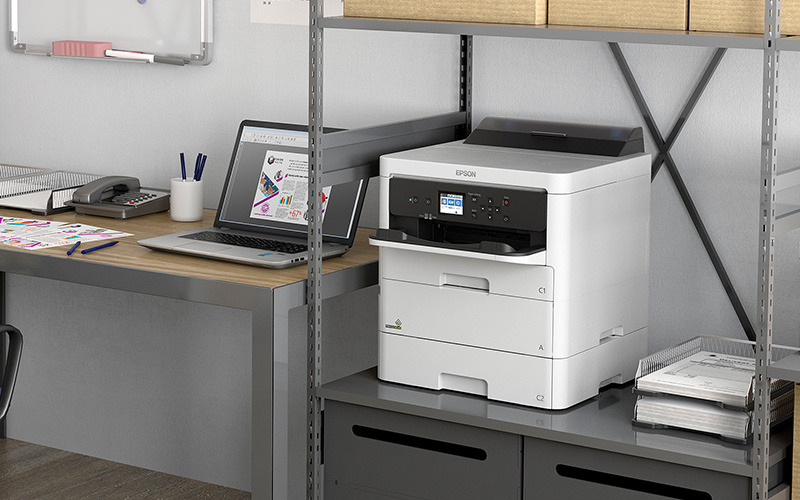
Your office printer might be the most overlooked endpoint in your network. While you’re updating firewalls and training staff on phishing emails, that multifunction device in the corner is quietly storing copies of every payroll document, client contract and financial statement it has ever processed.
And cybercriminals know it.
According to recent research, 67% of organisations experienced at least one print-related security incident in 2024, up from 61% the year before. The average cost of these breaches has climbed to over $1.3 million, representing a 38% year-over-year increase.
For Gold Coast businesses handling sensitive information, from Southport legal practices to Merrimac accounting firms and Broadbeach medical clinics, printer security is no longer optional. It’s a critical business risk that demands immediate attention.
The Attack Surface You Didn’t Know You Had
Modern office printers are fully networked computers with hard drives, memory and direct access to your sensitive data. Yet only 36% of IT teams install firmware updates promptly, leaving known vulnerabilities exposed for months.
The most common printer security gaps read like a hacker’s checklist:
- Default passwords that were never changed. Factory settings like “admin/admin” remain active on countless devices across Australian businesses.
- Unencrypted print jobs travelling across networks. Your confidential documents are readable in plain text as they move from desktop to printer.
- Outdated firmware with published security flaws. Manufacturers regularly release patches, but devices running software from 2019 remain common.
- Hard drives that were never wiped before disposal. When that old printer gets donated or recycled, years of company data go with it.
- No monitoring or audit trails. Your security operations centre tracks suspicious logins on workstations, but printer access operates in the shadows.
According to HP Wolf Security research, only one-third of organisations can track unauthorised printer hardware changes or identify device vulnerabilities based on published security recommendations. Meanwhile, 94% of small and medium businesses have experienced at least one cyberattack, with printers serving as an increasingly attractive entry point.
What Makes Printers Attractive to Attackers
Security professionals describe modern multifunction printers as filing cabinets that anyone with network access can open remotely, rifle through and walk away with copies of everything inside without ever stepping foot in your building.
The Australian Cyber Security Centre’s Information Security Manual includes specific guidance on printer sanitisation and secure configuration, yet implementation remains patchy. Many devices store copies of every document they process on internal hard drives with no encryption. They maintain 24/7 network connections. And because they’re shared resources accessed by dozens of employees, they represent a single point of failure that can expose everything from payroll records to client confidential information.
In 2023, the FBI and CISA warned that attackers were actively exploiting vulnerabilities in PaperCut print management software, even after patches were released. The attacks targeted organisations that failed to update promptly, a reminder that known vulnerabilities remain exploitable when businesses delay remediation.
The Real Cost of Print Security Incidents
Print-related breaches create cascading costs that extend far beyond initial forensic investigations. When ransomware infiltrates through a printer vulnerability, it spreads throughout networks, halting operations across departments. One compromised printer becomes the entry point for attacks that take down entire systems.
Research shows that smaller businesses face particularly severe impacts, with 74% experiencing data loss when breaches occur. For organisations without dedicated security resources, the productivity losses compound quickly. While IT teams scramble to contain breaches and restore systems, staff cannot work. Print-dependent processes grind to a halt.
Compliance penalties amplify the financial damage. GDPR violations can cost up to 4% of annual global revenue. Privacy Act breaches require mandatory reporting to the Office of the Australian Information Commissioner. And increasingly, regulators ask uncomfortable questions: “How did unauthorised parties access this data?” Answering “we didn’t secure our printers” doesn’t inspire confidence.
Five Actions Gold Coast Businesses Should Take Now
Print security doesn’t require complex overhauls, but it demands consistent attention. Here’s where to start:
- Conduct a complete printer inventory immediately. Document every networked device, noting firmware versions, security settings and access controls. Many organisations discover “ghost printers” still connected to networks that no one remembers authorising. Pay particular attention to devices in unsecured areas where visitors could access output trays or settings panels.
- Implement secure print release. Documents should not print until users authenticate at the device. This prevents sensitive documents from sitting in output trays where anyone can grab them. It creates audit trails of who printed what and when. And it stops unauthorised print jobs immediately. Organisations using secure print release report 59% experiencing print-related breaches compared to 66% without such controls.
- Encrypt everything, everywhere. Print jobs must be encrypted in transit. Data stored on printer hard drives must be encrypted at rest. When devices are retired, hard drives should be physically destroyed, not merely reformatted. Residual data recovery from improperly disposed printers remains a common breach source.
- Update firmware religiously and eliminate default credentials. Create schedules for firmware updates and stick to them. Manufacturers patch security vulnerabilities regularly, but those patches provide no protection if never installed. Change all default passwords today. Every device. Every access point. Default credentials are equivalent to putting a “rob me” sign on your front door.
- Consider managed print services with integrated security. Most IT teams are already overwhelmed. Modern managed print services extend far beyond toner delivery to include security monitoring, automated patch management, compliance reporting and proactive threat detection. This professional oversight removes the burden from internal teams while delivering measurable protection.
The Zero Trust Mandate for Printers
By 2026, Zero Trust architecture is becoming the default security model. The old approach of trusting devices inside the network perimeter has failed spectacularly in the age of hybrid work, cloud services and sophisticated attacks.
Zero Trust operates on a simple principle: never trust, always verify. Every user, every device, every access request must be authenticated, authorised and continuously validated. There are no exceptions, no trusted zones, no devices that get a free pass because they’re “inside” the network.
For printers, this means fundamental changes. Every print job requires user authentication. Device access is granted based on role and need, not network location. All printer communications are encrypted and monitored. Anomalous behaviour triggers immediate alerts. Access permissions are continuously evaluated, not set once and forgotten.
Gartner predicts that 60% of enterprises will embrace Zero Trust as a starting point for security in 2025. Meanwhile, 70% of new remote access deployments are shifting from traditional VPNs to Zero Trust Network Access solutions. Printers that cannot participate in this framework become security liabilities.
Moving Forward: Print Security as Strategic Advantage
Organisations that address print security proactively don’t just reduce risk. They build competitive advantages. They can confidently handle sensitive client data and they demonstrate compliance to partners and regulators. They onboard remote workers without creating security gaps. And when the inevitable security questionnaire arrives from a major customer or partner, they can answer “yes” to all the right questions.
Print security in 2026 isn’t about buying the most expensive devices or implementing the most complex protocols. It’s about applying the same rigorous security standards to printers that you already apply to servers, workstations and mobile devices.
Start with the basics: audit your environment, update your firmware, change your passwords, encrypt your print jobs and authenticate your users. Then work toward more sophisticated protections: Zero Trust integration, continuous monitoring, automated threat response and comprehensive security management.
Don’t wait for a breach to force your hand. Contact DocSol’s cybersecurity team for a Gold Coast focused print security assessment.
Sources: Doceo Print Security Research 2024-2025; Y Soft SAFEQ Print Security Landscape Report 2024; Quocirca Print Security Study; HP Wolf Security Enterprise Printer Survey; ConnectWise State of SMB Cybersecurity; Australian Cyber Security Centre Information Security Manual