Cyber security matters to every small business. It is not just a problem for large companies with big IT teams. Small firms are often easier to target because they have less time, fewer staff, and weaker systems. That is why the Australian government warns that “for a small business, even a minor cyber security incident can have devastating impacts.”
That warning is worth taking seriously. A cyber attack can stop your work, lock your files, steal your money, or damage trust with your customers. It can also take a long time to fix. For many owners, the cost is not only financial. It also brings stress, lost time, and hard choices at the worst possible moment.
The good news is that basic actions can lower your risk. You don’t need to start with expensive tools or a large security project. In fact, you can start with three simple steps. Turn on multi-factor authentication, update your software and back up your information. These steps are not flashy, but they are effective. They help block common attacks and help your business recover if something goes wrong.
Why Small Businesses Are at Risk
Small businesses hold things that criminals want. That may include money, customer details, staff records, supplier contacts, saved passwords and access to business systems. A small firm may also be linked to larger clients or partners which can make it even more useful to an attacker.
Many owners still think criminals only go after large companies. That’s a mistake. Small businesses are often targeted because they’re easier to fool and easier to break into. If staff are busy, if passwords are weak, or if updates are late, the attacker does not need a clever plan. They only need one easy gap.
Their are a few common threats. These include scams, phishing, business email compromise, malware and ransomware. Most of these attacks don’t begin with a dramatic hack. They begin with a normal-looking message, a fake invoice, a bad link or a weak login / password.
Three Steps to Take Today
If you want the fastest way to improve small business cyber security, start with these 3 steps. They’re simple, low cost and useful for almost every Gold Coast business.
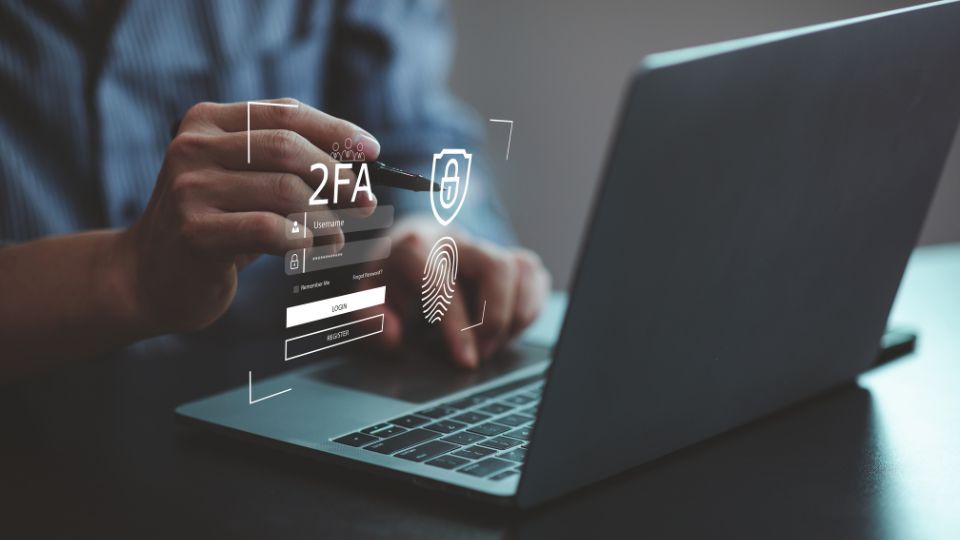
- First, turn on multi-factor authentication. This is often called MFA and it adds one more step when you log in, such as a code on your phone or an approval in an app. That extra step makes it much harder for a criminal to get into your account with only a stolen password. If you use email, cloud storage, payroll tools, bank logins or social media for business, MFA should be on.
- Second, update your software. Software updates fix known problems, including security gaps that attackers may already be using. When updates are delayed, old flaws stay open. That gives criminals more time to get in. Turn on automatic updates where you can and check often that your main systems are current.
- Third, back up your information. Good backups help you recover after ransomware, human error or hardware failure. They matter because even strong security will not stop every problem. A backup is your safety net. Store it somewhere separate from your main system and test that you can restore your files. A backup that has never been tested is only a guess.
How Scams and Phishing Attacks Work
Scams are one of the most common threats to small business. A scam may arrive by email, text message, phone call or via a social media message. It often pretends to come from a person or group you know and the goal is usually to trick you into sending money, clicking a bad link, opening a file or giving away private details.
Phishing is one of the best known forms of this attack. A phishing message may tell you that a bill is overdue, that your account needs to be checked or that you must log in right away. It tries to create fear or urgency so you act before you think. The message may look real but the link sends you to a fake page (which looks real) made to steal your password.
Our advice here is simple and strong. If a message seems odd, even if it looks like it came from someone you know, check it another way. Call the person or visit the official website yourself by googling or typing in the URL. Don’t trust the phone number or link in the message. this one habit can stop most attacks.
A useful rule for staff is, “If a message asks for money, login details, gift cards, or urgent action, slow down. Check first. Act second”. That’s not paranoia. It’s a process.
Business Email Compromise Is a Major Risk
Business email compromise, or BEC, is one of the most costly scams for small business. In this type of attack, a criminal pretends to be a supplier, manager or co-worker. They ask for a payment, a bank detail change or some other urgent action. In some cases, they use a hacked real account. In other cases, they use an email address that looks almost right at first glance.
A small construction business received an email that appeared to come from a supplier. The email said the supplier had changed bank details. The business paid the invoice, then another staff member paid the same invoice again. Later, they learned the supplier email account had been hacked. More than $150,000 was lost and the money wasn’t recovered.
This case matters because it shows how ordinary these attacks can appear and how easily a business can be caught out when a request seems routine. There was no sophisticated malware involved. Instead, the real problem was that the change in bank details was accepted without independent verification. Never rely on an email alone to confirm banking changes and always check by phone or through a trusted contact using a number you already know is genuine, rather than one provided in the message.
Every small business should have a simple payment check process. If bank details change, if a payment is urgent or if a request seems unusual, staff must verify it BY PHONE before money leaves the account. This should be a rule, not a suggestion.
Malware and Ransomware Can Stop Your Business
Malware is harmful software. It can steal data, watch what users do, damage files or let criminals control a device. Ransomware is a type of malware that locks or encrypts files so the business cannot use them. The attacker then demands money to unlock the data and it’s often in cryptocurrency.
Ransomware can be severe for a small business because it hits the things you need most. You may lose access to customer files, job records, accounts, bookings or stock data. In some cases, attackers also threaten to leak private information if they’re not paid.
An auto parts store was hit and its backup drive was plugged into the server at the time. The ransomware encrypted the backup as well. When more backup drives were connected, they were also encrypted within seconds. The business lost years of data and had to start again.
A backup is not safe if the attack can reach it so keep backups separate such as secure cloud backup or offline copies. Make sure your team knows not to open strange files or download unknown software because many ransomware attacks start that way.
Strong Accounts Are a Basic Defence
Good account security does more than stop logins from being stolen. It also limits how much damage a criminal can do if they get inside one account. That is why account security should be treated as a daily business control, not a one-time setup task.
Use strong and unique passwords for every important account. A password manager can help your team create and store them. This matters because password reuse is still common in small business, and it creates a chain of risk. If one password is stolen from one site, attackers may try it on many others.
You should also protect admin accounts with extra care. These accounts often have the power to add users, reset passwords, change settings, or access large amounts of data. Limit admin rights to the people who truly need them, and put MFA on every admin account without exception.
Protect Devices, Networks, and Business Information
Cyber security is not only about logins. It’s also about the devices, systems and data your business uses every day. If a laptop, phone, router, or shared drive is poorly secured, it can become the weak point that lets an attacker in.
As a small businesses, you need to update software, use security software, improve network security and secure business information. That advice is basic but it’s sound. Antivirus and ransomware protection can help find and block threats and careful data storage can reduce harm if one device is lost or one account is breached.
It also helps to think about access. Ask who can see customer data, who can open finance records and who can install software on work devices. Many businesses give broad access because it feels easy. Often, that same choice makes a cyber incident much worse because you’ve got too many people with Admin access so review your user access regulary.
Prepare Your Staff, Not Just Your Systems
One of the best practises is that staff need to be prepared for disasters. Tools matter but people still make key choices every day. They decide whether to click a link, trust an invoice, share a file or report a problem. If staff are well trained, they become your strongest line of defence. If they are rushed or unsure, they can become the easy path in. The time you focus on staff is important because most attacks still rely on human error somewhere along the line.
Good staff training doesn’t need to be long or complex. It should show real examples of scam emails, fake payment requests and poor password habits. It should also tell staff what to do when they’re unsure. In many businesses, that one step is missing. People know what not to do, but they don’t know how to raise a concern fast.
If something feels wrong, report it right away. Early reporting gives the business more time to limit damage. Silence helps the attacker.
Make an Emergency Plan Before You Need It
Many business owners hope they’ll easily deal with a cyber problem if it ever happens. That’s not much of a plan. When systems are down and staff are stressed, people need clear steps to follow. We recommend making an emergency plan for cyber attacks then printing it and storing it offline.
A basic plan should say who makes decisions, who to call for IT help, how to isolate affected devices, how to use backups and how to speak with staff, customers or suppliers if needed. The plan doesn’t need to be long. It just needs to be crystal clear.
It’s also wise to test the plan. A plan that looks good on paper may fail in real life if no one has used it before. Testing shows where the gaps are and it also helps your team respond with less panic WHEN a real event occurs.
Stay Informed and Keep Improving
Cyber security is not a one-off task. New scams appear all the time and your old systems become less safe as they age. That is why small businesses need to stay informed and keep improving over time. Start with MFA, updates, backups, staff training and a clear plan. Then build on that base as your business grows. Better security doesn’t have to happen all at once but it does have to happen.
Basic cyber security is not optional for a small business. It is part of running a stable business in a world where scams, fake emails, stolen passwords and ransomware are now common. The good news is that the first steps are clear.
- Turn on MFA,
- update your software,
- back up your information,
- train your staff
- and verify payment changes before money moves.
None of this will make your business perfect. That’s not the goal. The goal is to make attacks harder, reduce the damage if one gets through and help your business recover fast. In simple terms, good cyber security helps you keep working when things go wrong. For a small business, that can make all the difference.
Source: https://www.cyber.gov.au/business-government/